
For JEE, NEET and Foundation coaching institutes
Run your whole coaching institute from one place.
Admissions, attendance, NTA-style online tests, fees and parent updates, plus Focus Mode, which locks students' phones during class. In your institute's name, in English and Hindi.
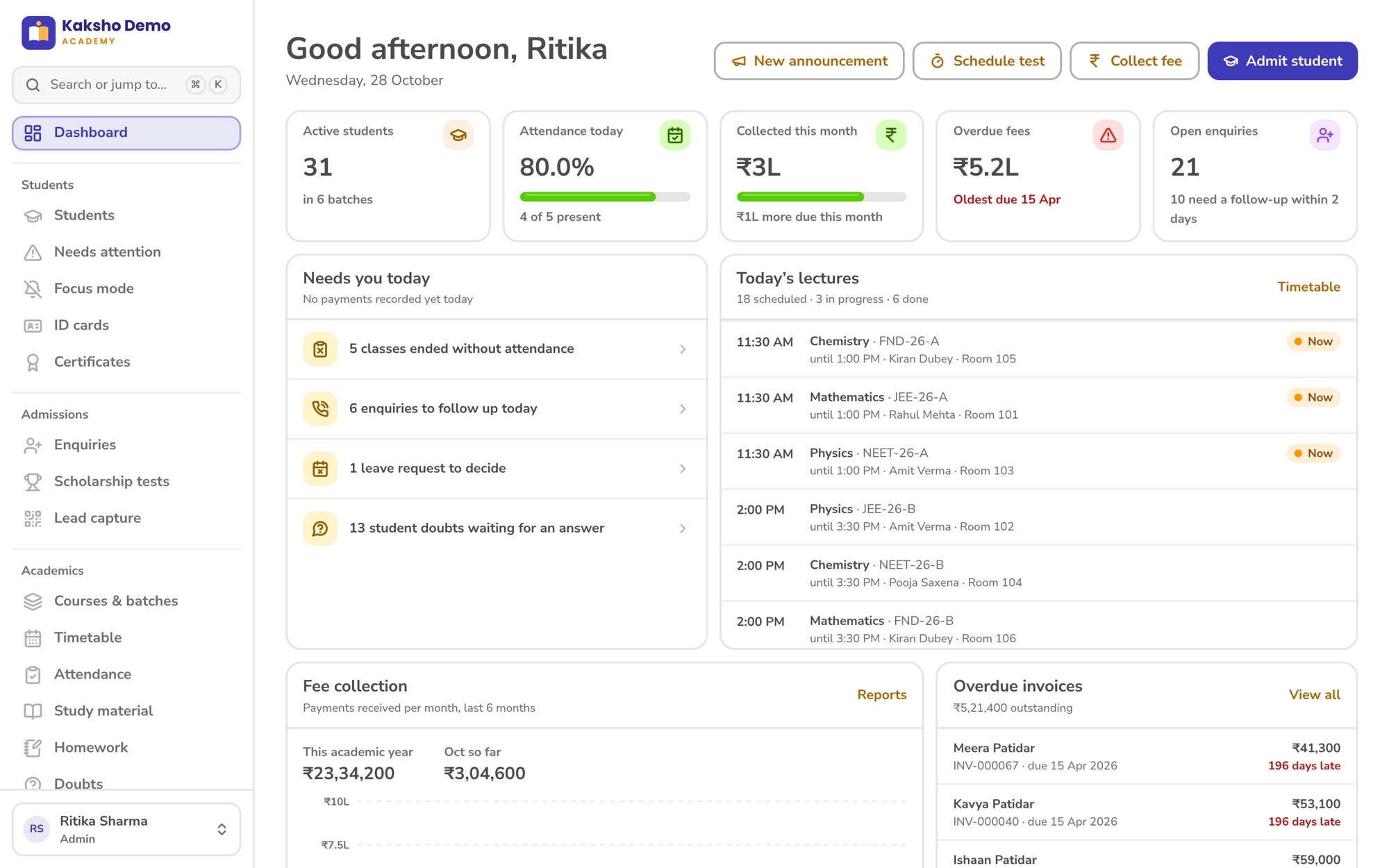
Admin web
For the owner, office, accounts and counsellors.
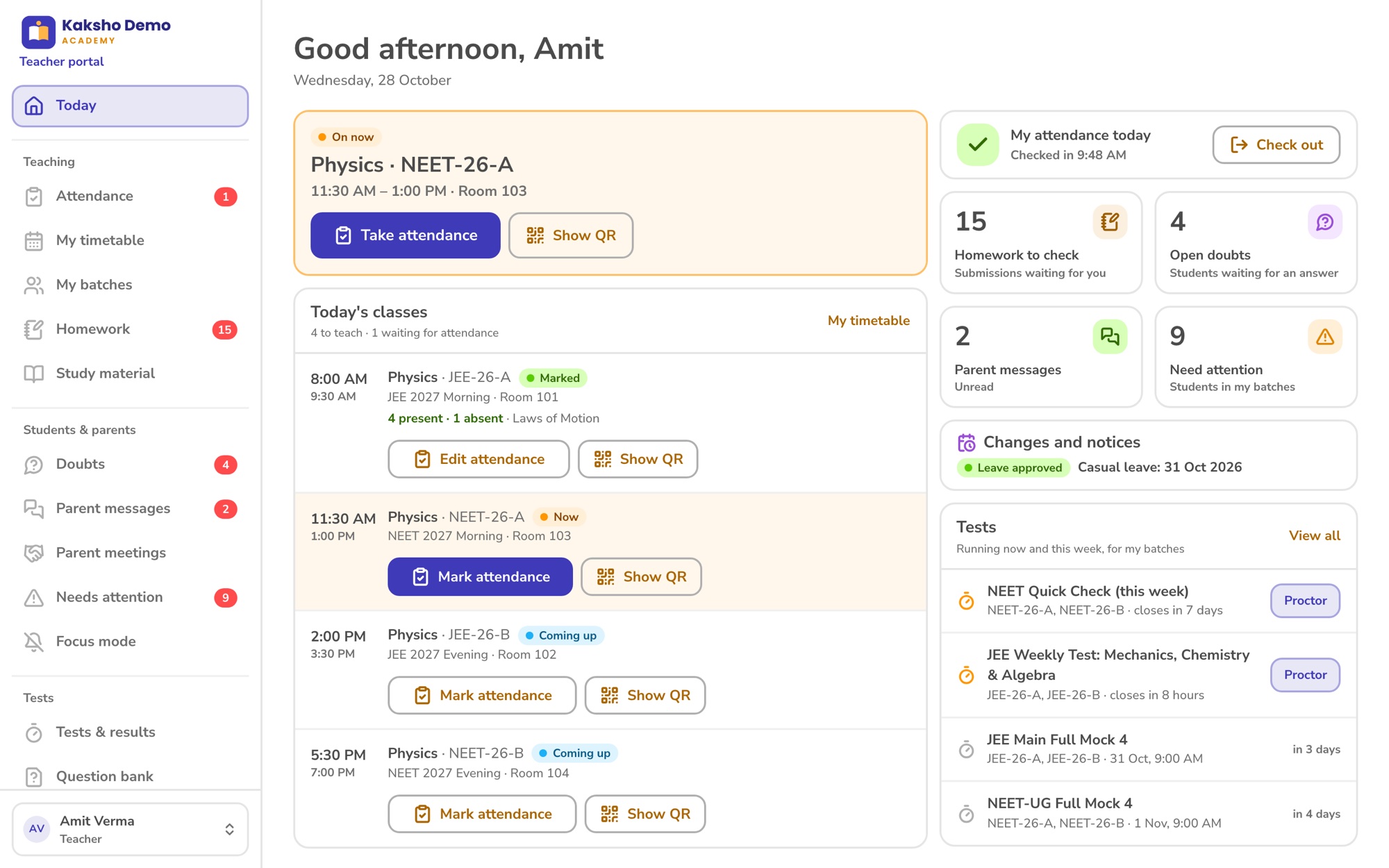
Teacher portal
Classes, attendance and doubts, on a laptop or phone.
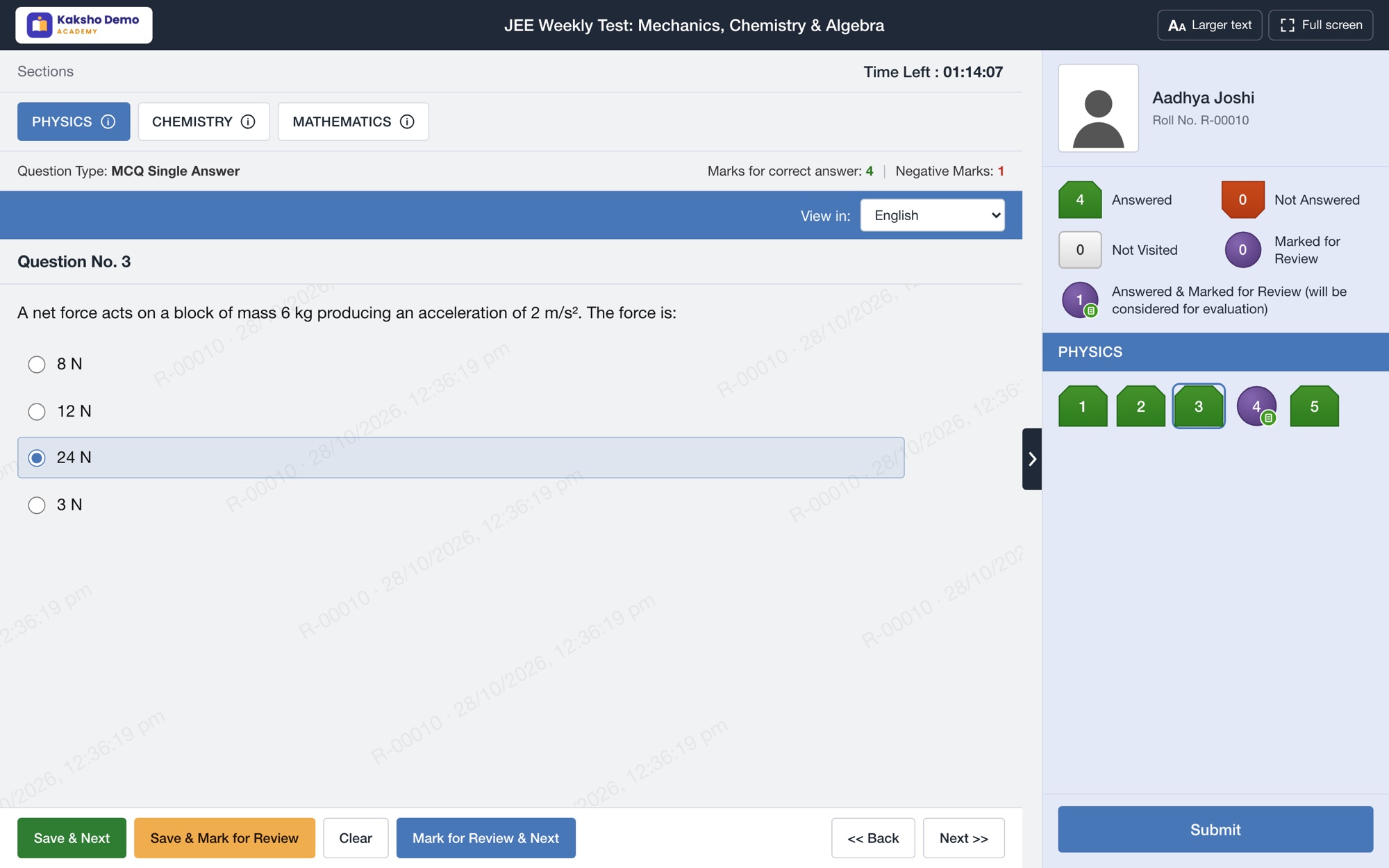
Online test portal
The NTA computer-based test screen, results and practice.
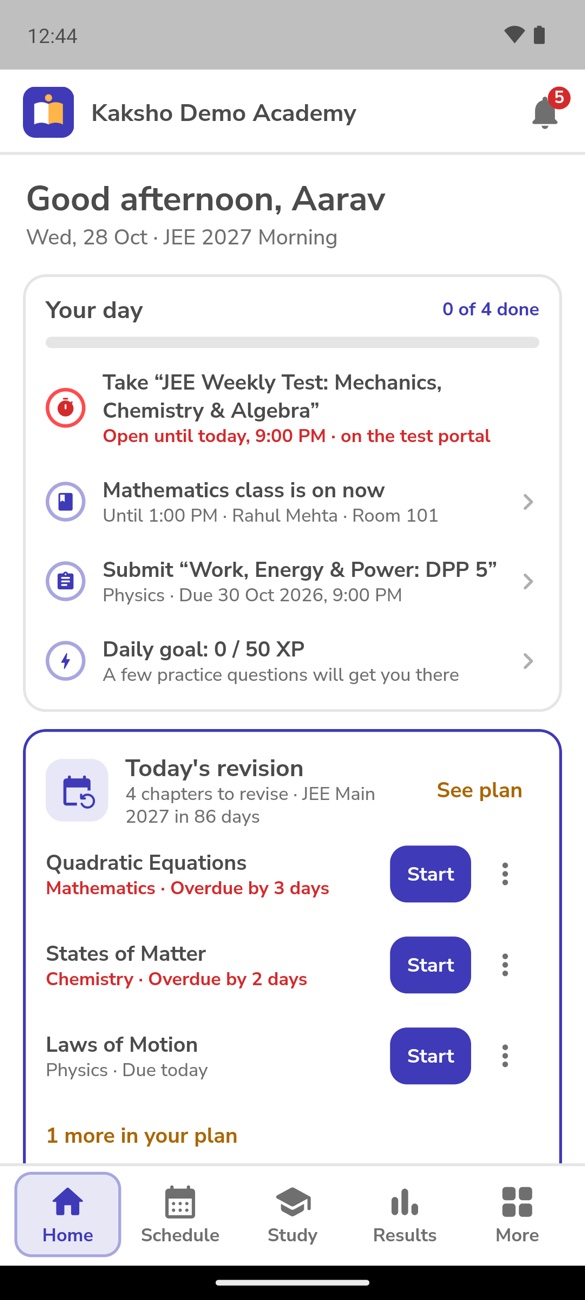
Student & parent app
Your own Android app, in English or Hindi. Built by students of IIM Mumbai and IIT Bombay.
01What changes
Registers, Excel and twenty WhatsApp groups, replaced by one system.
02The product
Four screens, one set of data underneath.
The office, teachers, students and parents each sign in to a screen built for their job, and see only what they need.
03A day at your institute
What Kaksho does while your team teaches.
-
7:55 AM
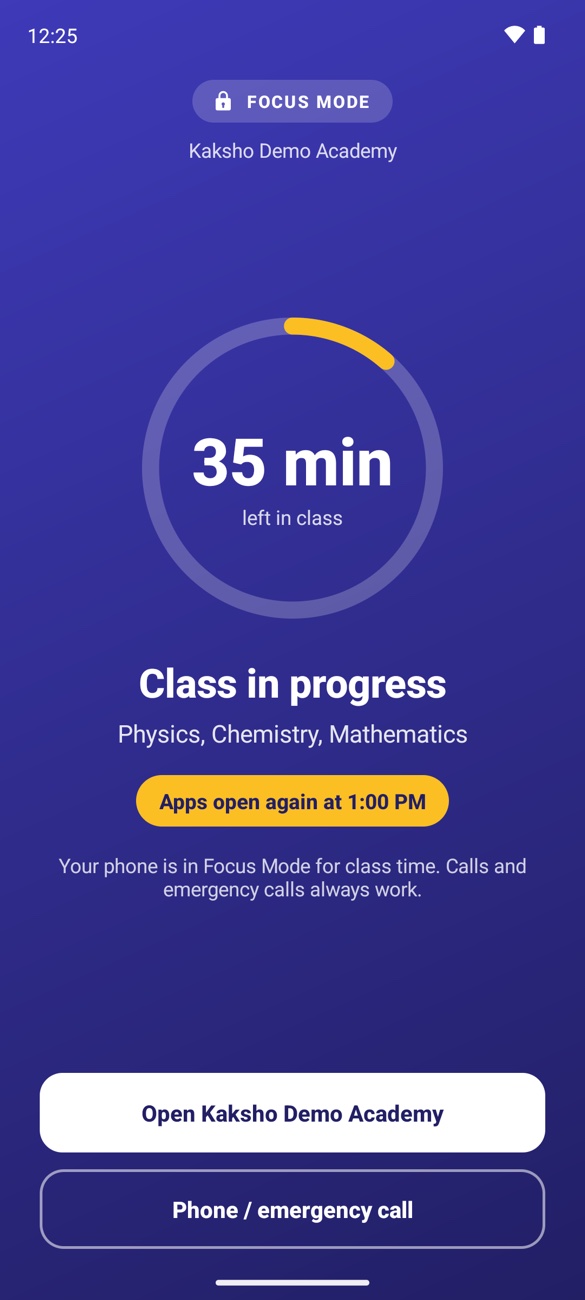
Phones go into Focus Mode.
A few minutes before the batch's first class, other apps on students' phones lock, straight from the timetable. Calls still work. The apps open again when classes end.
-
8:10 AM
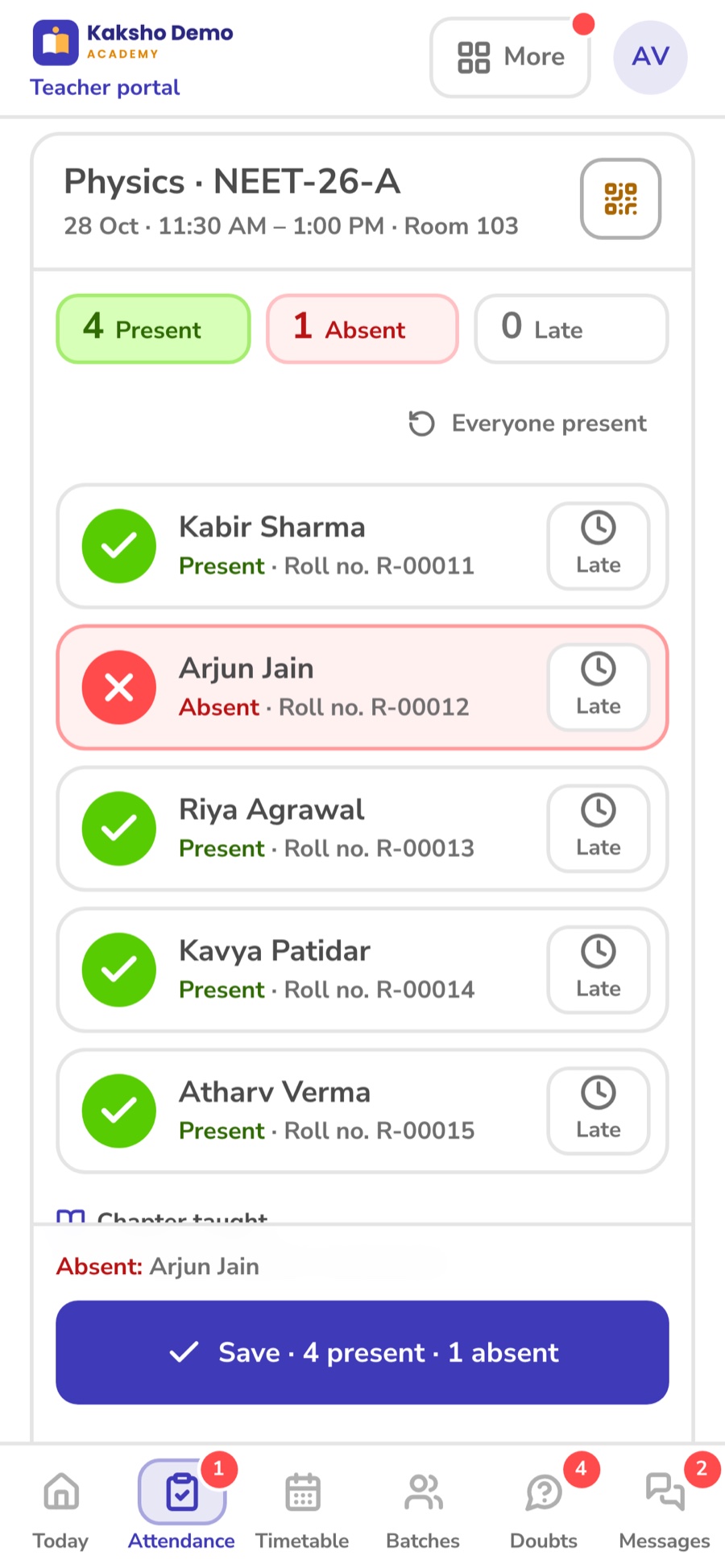
Attendance takes a minute.
The teacher taps who's absent on their phone and notes the chapter taught.
Parents of absent students are told at once.
-
9:00 AM
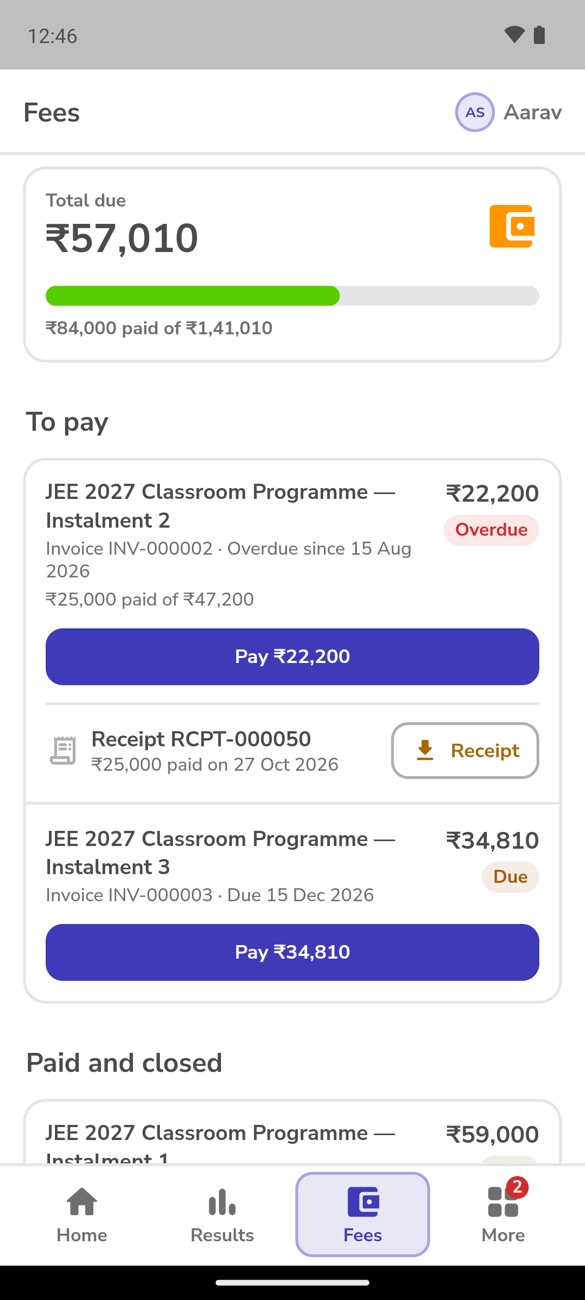
Fee reminders go out.
Dues coming up and overdue, with a link to pay in the app. Online payments land in your own Razorpay account.
-
2:00 PM
An online test, NTA style.
In the computer lab or at home. The office watches it live: who's writing, who left the screen, and extra time when it's needed.
-
9:00 PM
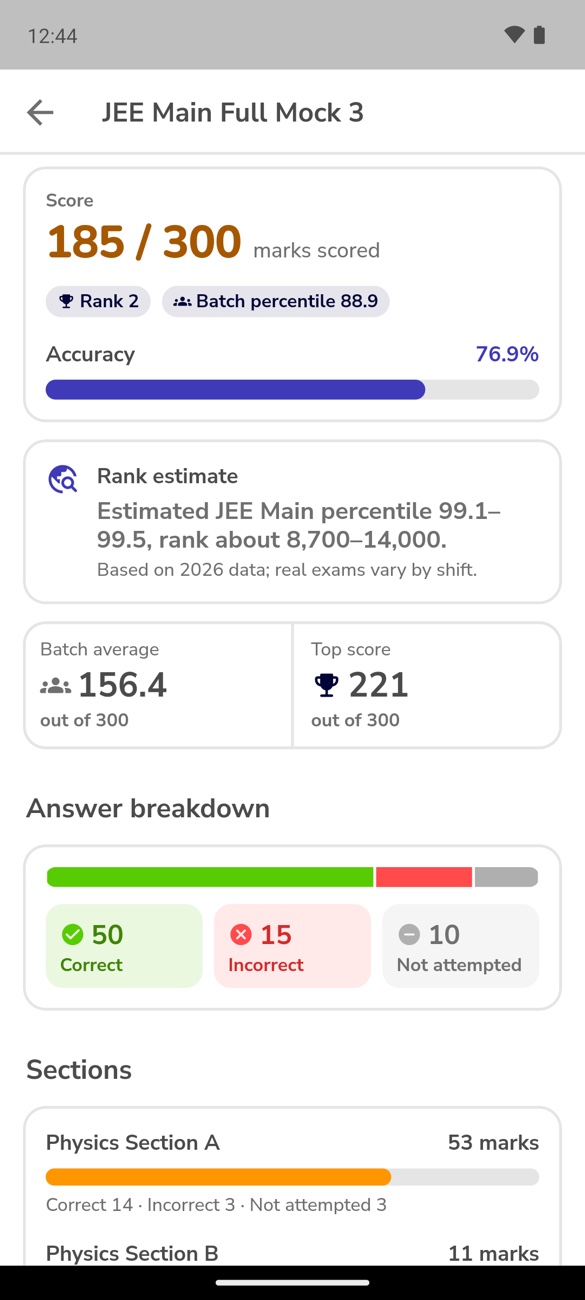
The test closes. Results go out.
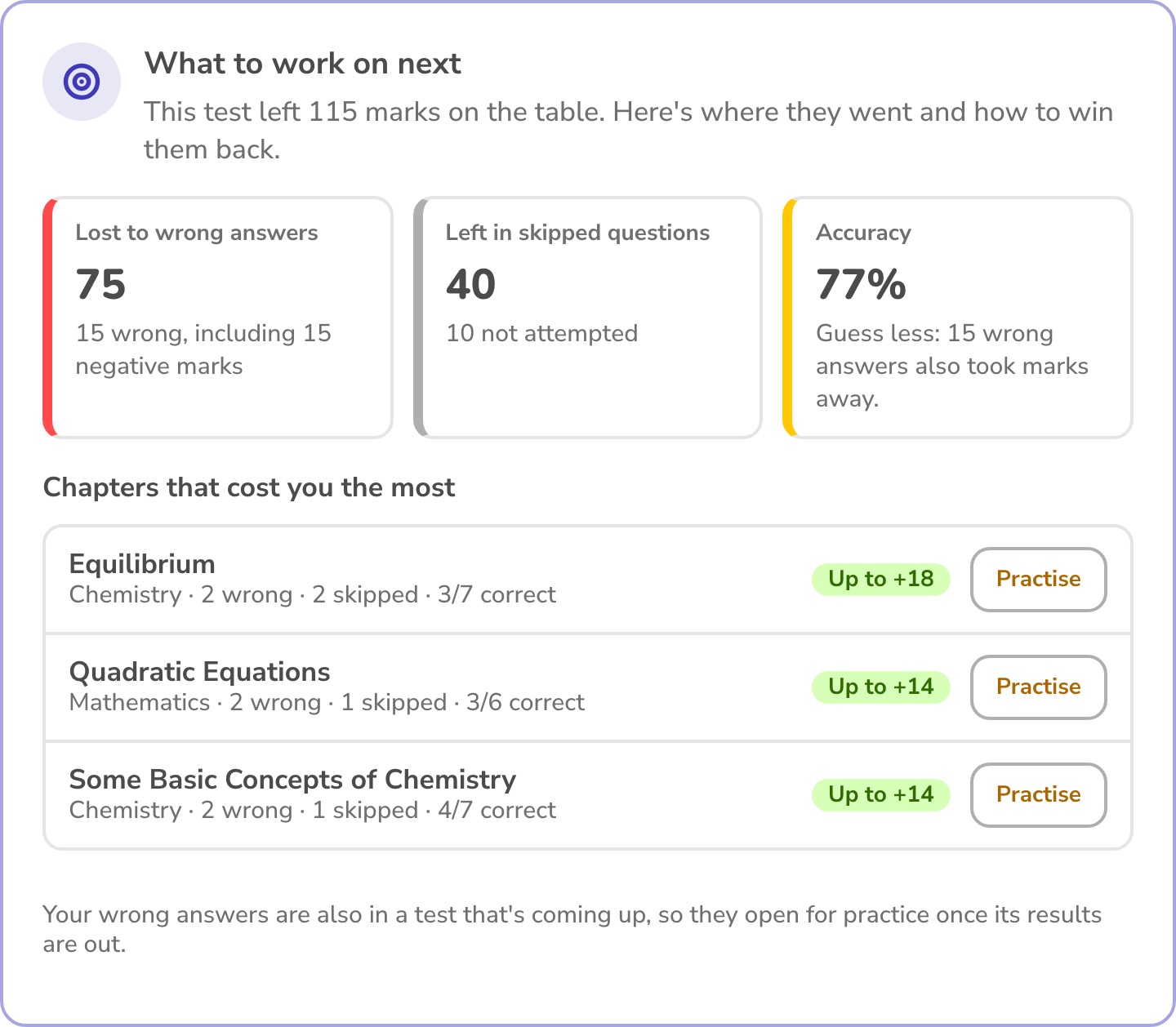
Score, rank, the marks lost in each chapter and what to practise next, for every student, as soon as you publish them.
Students and parents are told.
-
Sunday, 7:00 PM
Every parent gets the weekly report.
Attendance, test marks, homework and fees, in one message. On Monday morning the office gets the list of students who are slipping, with the reasons.
04For the owner and office
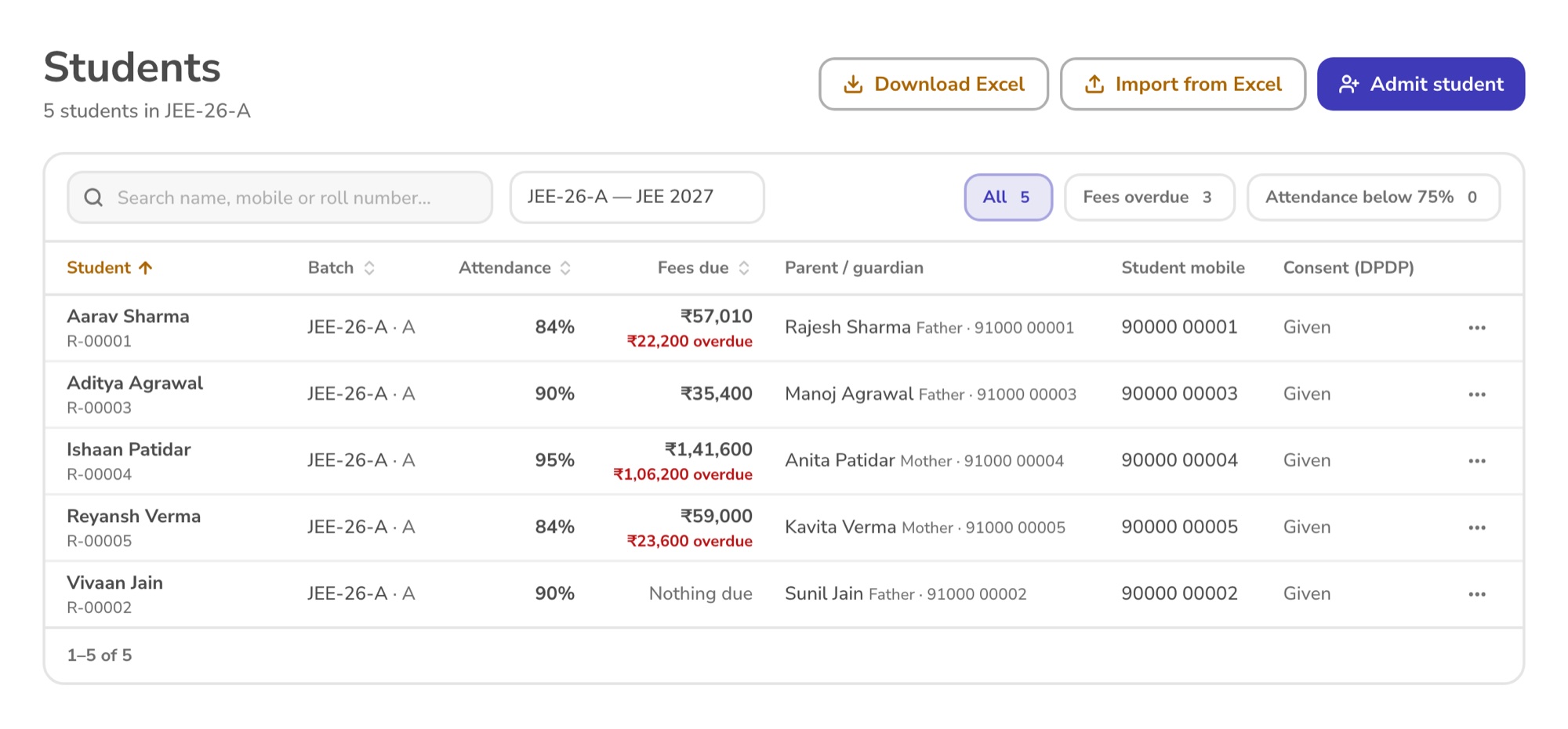
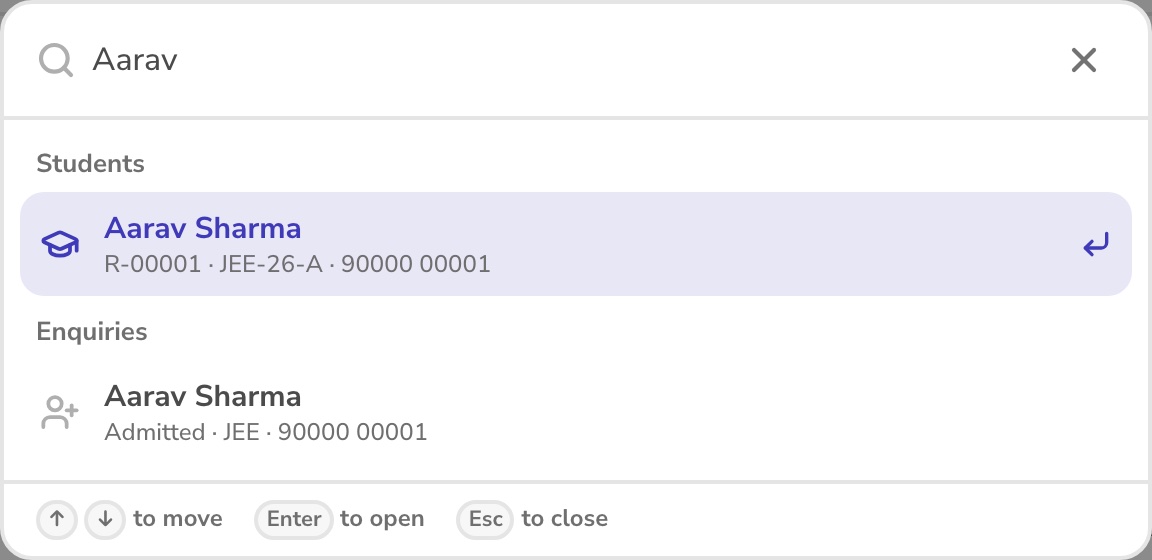
Every student, and every rupee, one search away.
- Needs you today: classes that ended without attendance, enquiries to call back, leave to approve, doubts waiting.
- Quick search: Ctrl K, then a name, roll number or mobile number.
- Each student's fees, attendance, results, family, remarks and documents, in one profile.
- Students come in and go out with Excel. Your data stays yours.
05Focus Mode
When the batch's class starts, the phone locks itself.
Turn it on for a whole batch. Students' Android phones lock a few minutes before class, from the timetable, and unlock when it ends. Calls, emergency calls and your app keep working, including photos for a doubt.
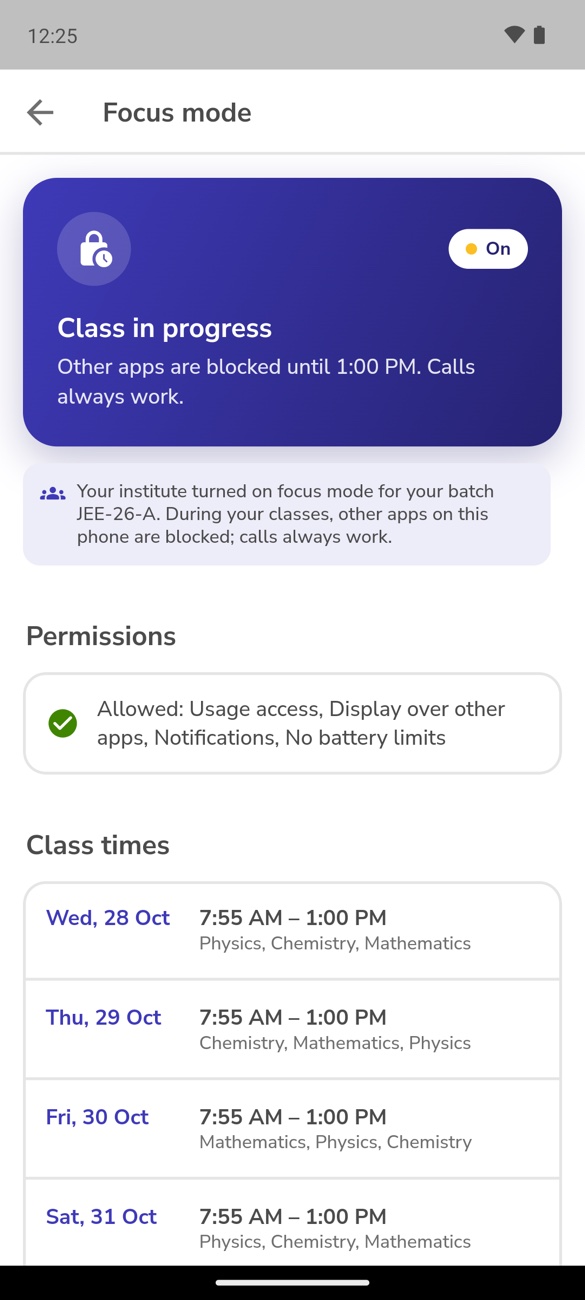
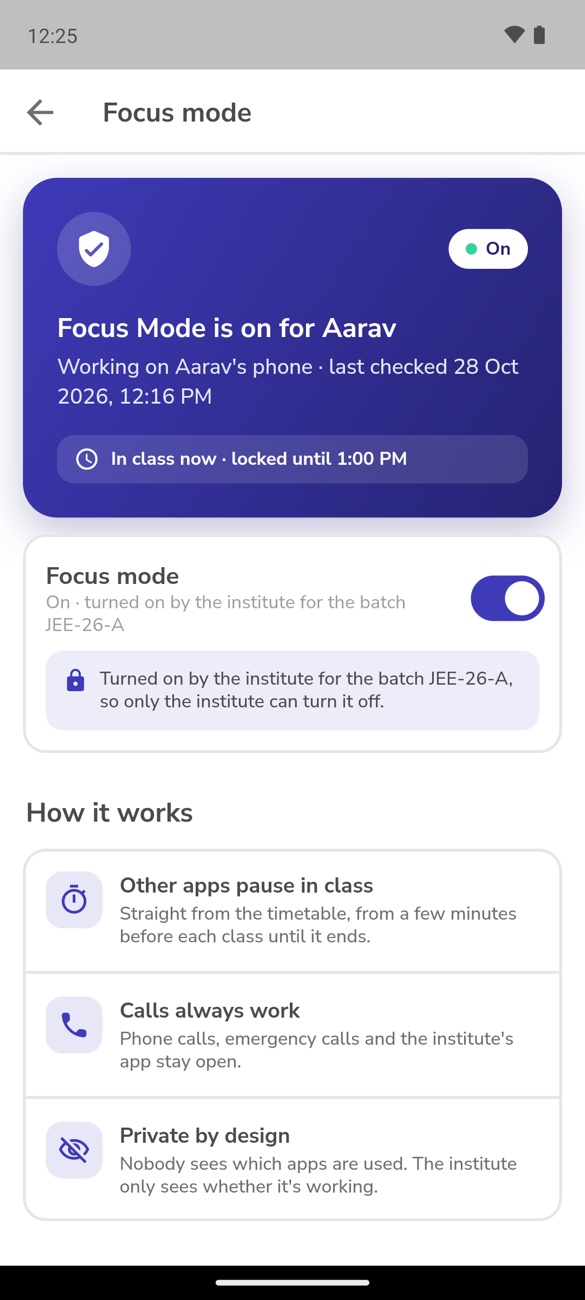
From the timetable
No one switches it on each morning. Changes to the timetable are picked up on their own.
Calls always work
Phone calls, emergency calls and the institute's app stay open during class.
Exemptions
The office can exempt one student, with the reason kept on record. Teachers can turn it off for their batch.
Parents alerted
If a phone stops reporting, parents are told. Nobody sees which apps a student uses.
06Online tests
Students practise on the screen they'll see on exam day.
- The NTA computer-based test layout: sections, question palette, mark for review, timer, English or Hindi.
- Real JEE Main papers from NTA, with the official answer keys.
- Answers are kept if the internet drops. Leaving the test screen is noticed.
- Live proctoring from the office, and a kiosk app that locks exam-room tablets to the test.
07For parents
Parents see what needs them, without calling the office.
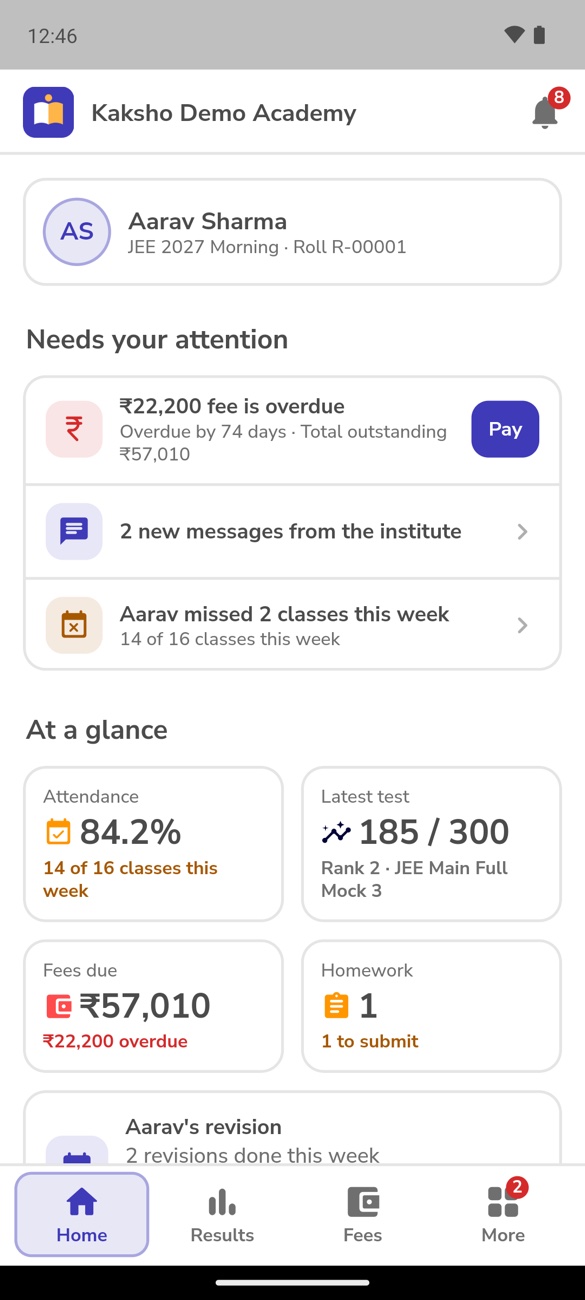
- Needs your attention: a fee due, new messages, classes missed this week.
- At a glance: attendance, the latest test with rank, fees and homework.
- Messages to teachers within office hours. Parent-teacher meetings booked in the app.
- Every screen in English or हिंदी. Each parent chooses.

08Fees
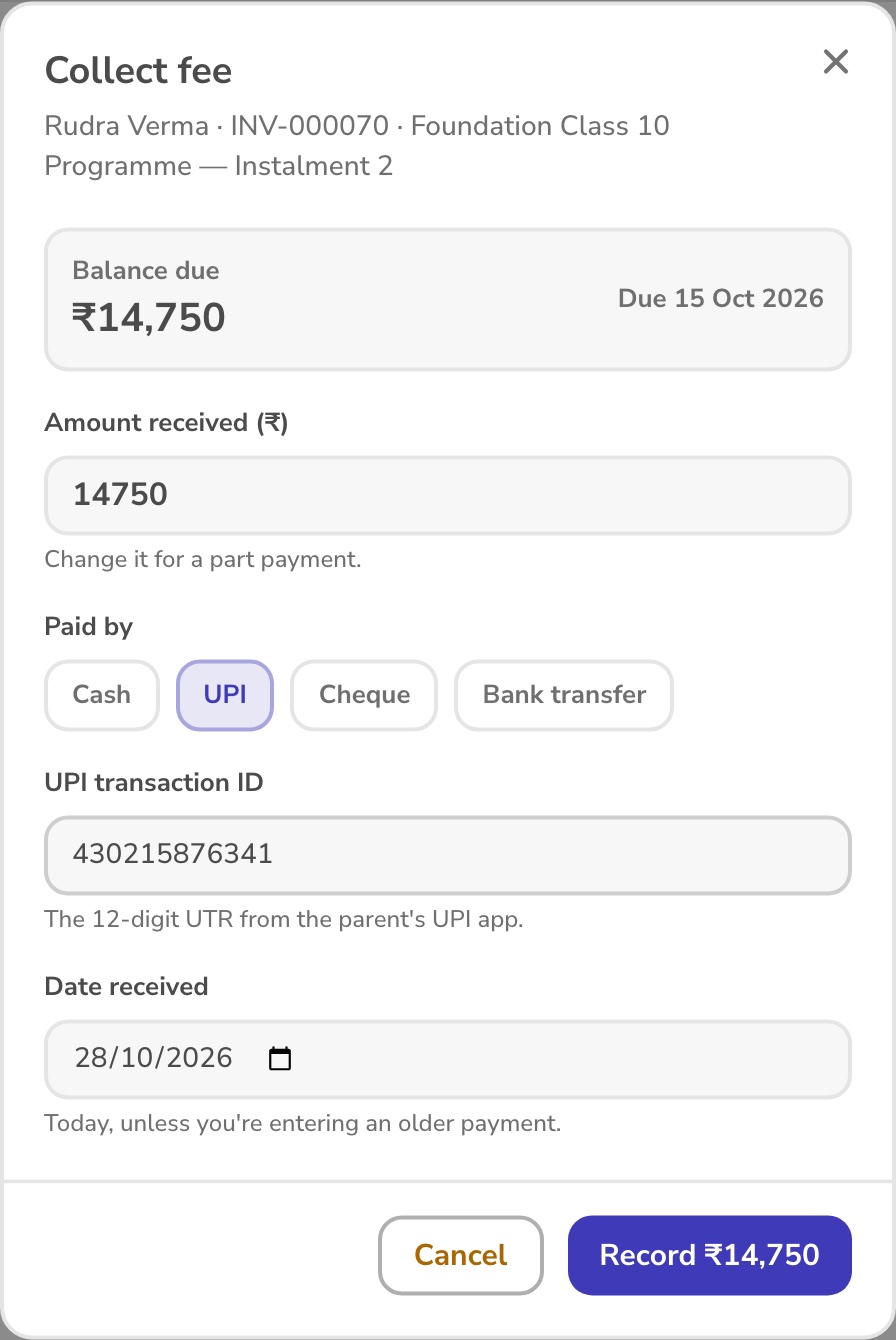
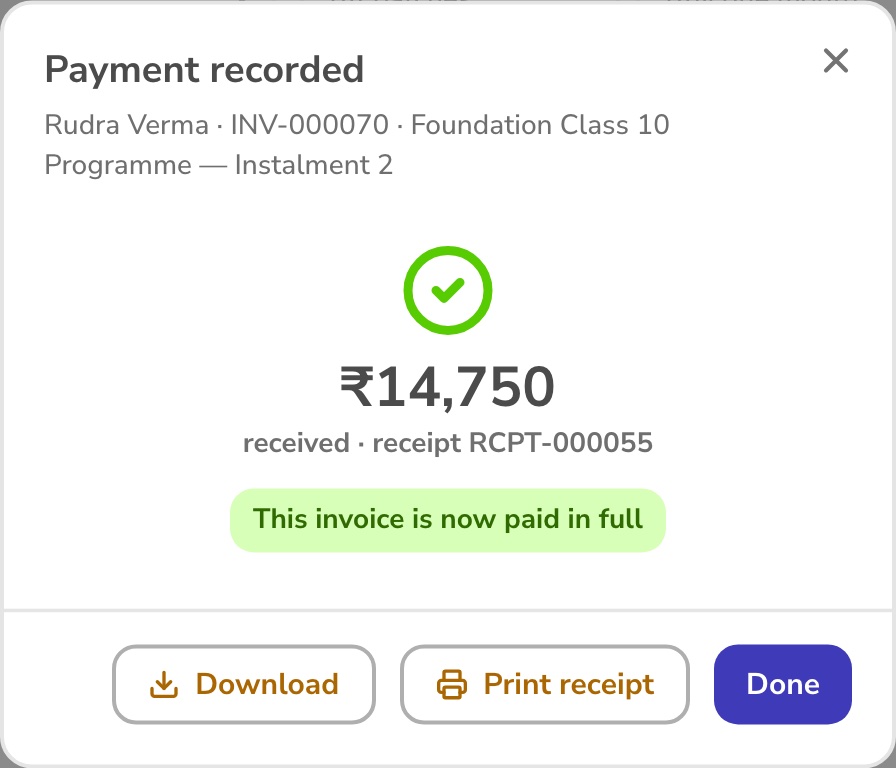
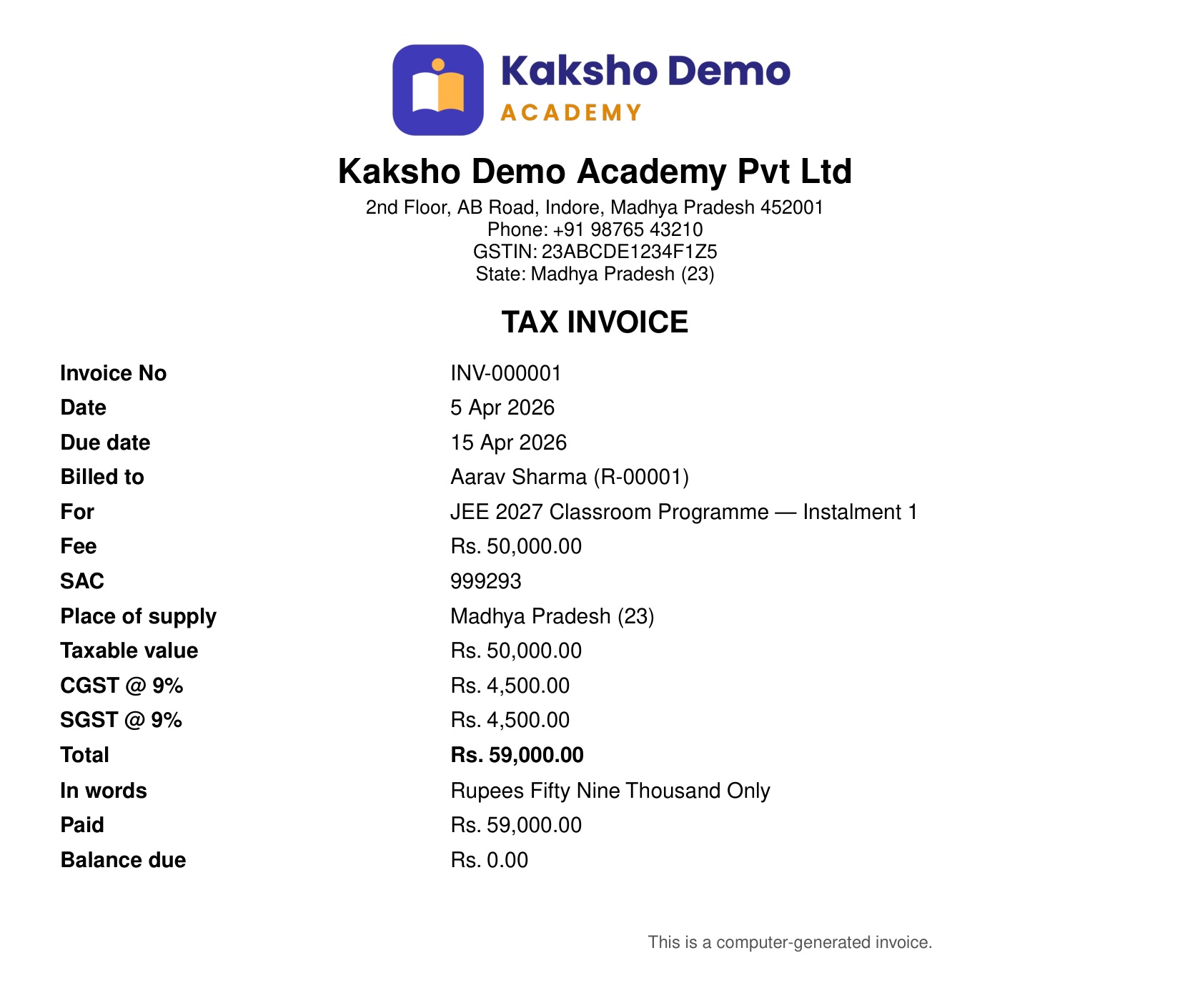
Collect a fee in one tap. The receipt is ready before the parent leaves.
- Cash, UPI, cheque or bank transfer, with the UTR or cheque number. Part payments too.
- Instalments, late fees and sibling discounts on fee plans.
- GST registered? Every invoice becomes a proper tax invoice, with CGST and SGST, or IGST.
- Parents pay online into your own Razorpay account.
09For teachers
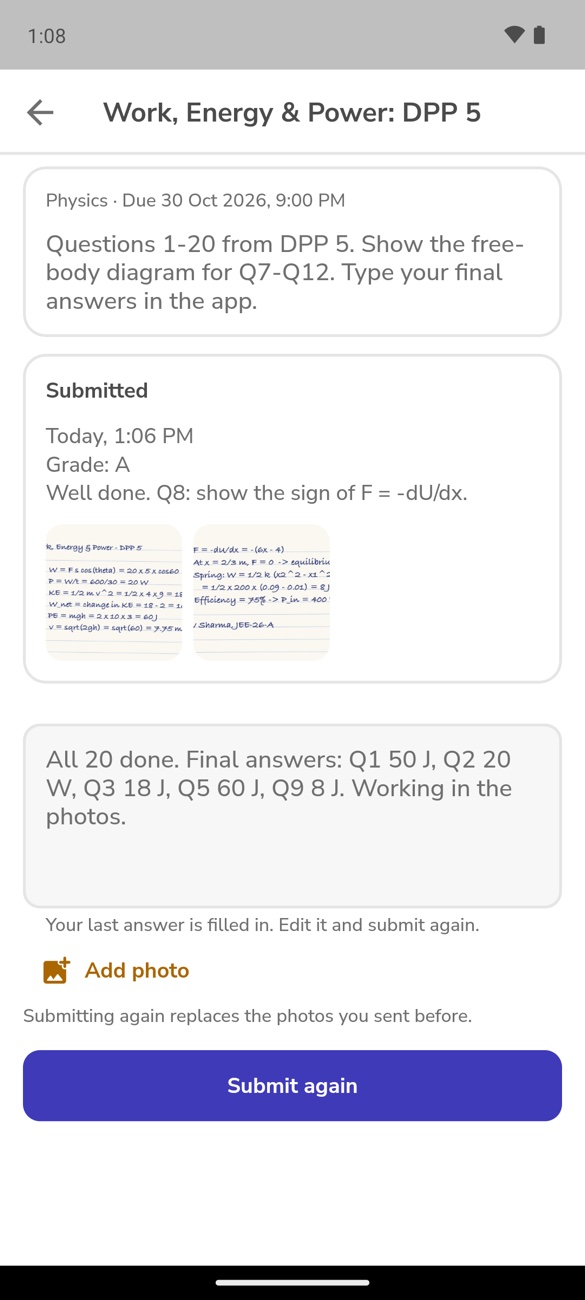
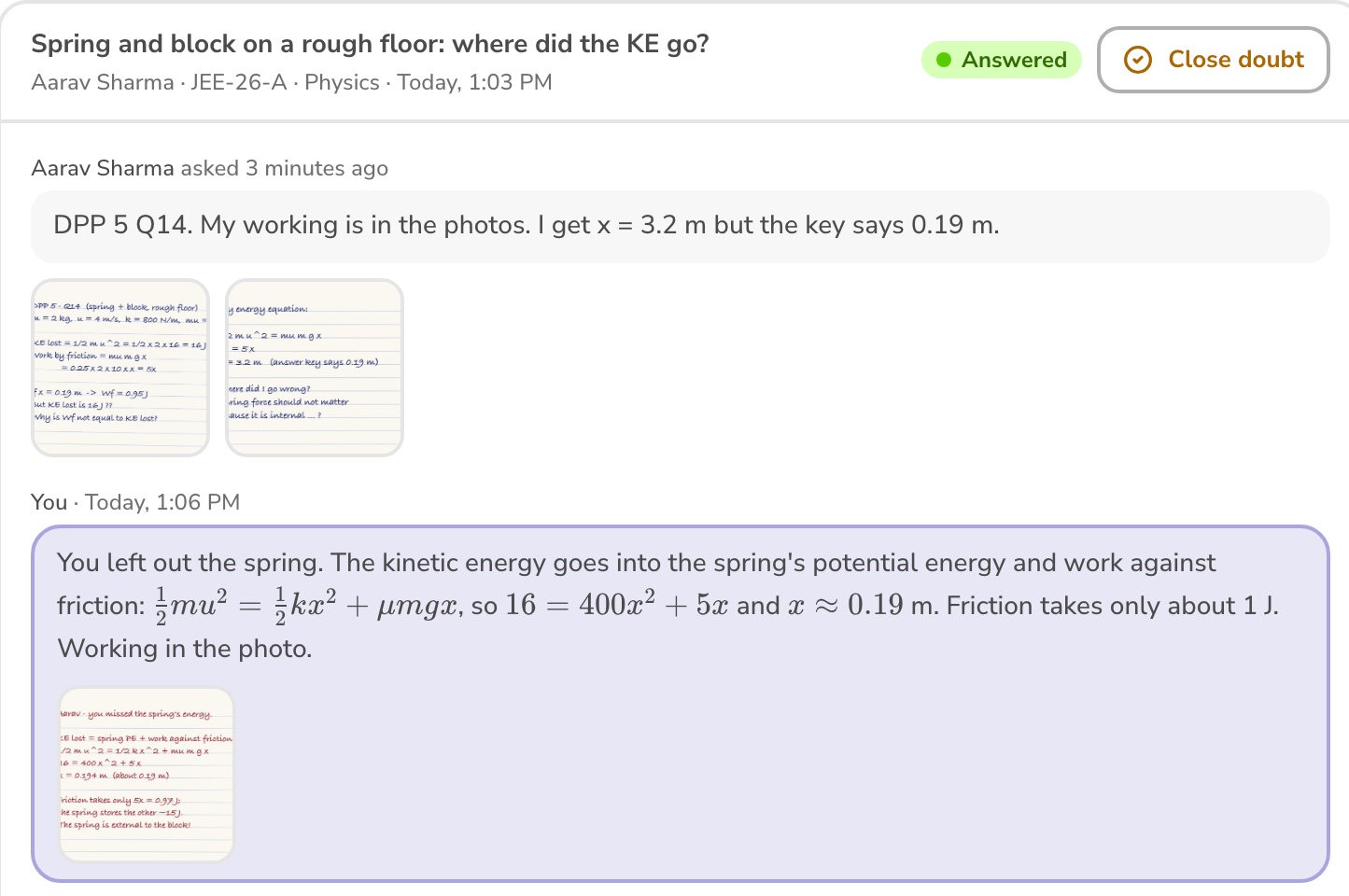
Today's classes at a glance. Doubts answered with a photo.
Teachers see only their own batches: the next class, attendance, homework to check, doubts with the student's photos, and messages from parents.
10Your brand
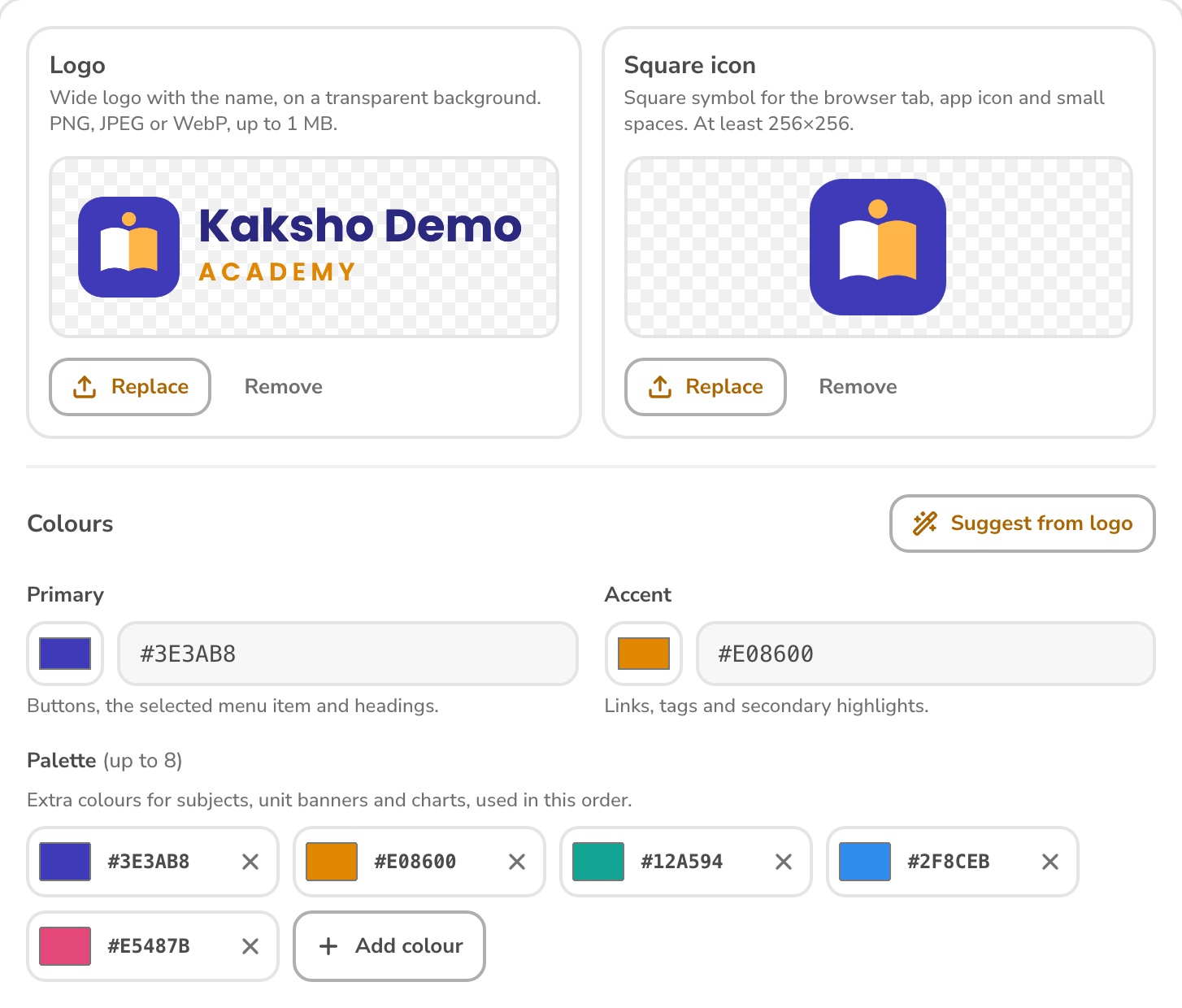
Your name, your colours, your app.
- Your logo and colours on the admin, both portals and the app. Text shades adjust so they stay readable.
- Your own Android app, with your institute's name and icon.
- Receipts, invoices, ID cards and certificates carry your name.
11Everything else
From the first enquiry to the final rank.
Admissions
- Enquiries with follow-up reminders
- Lead capture form and QR code
- Scholarship tests with registration
- Admission with documents; Excel import
Academics
- Courses, batches and timetable
- Attendance, with QR check-in
- Homework and study material
- Doubts with photos; parent-teacher meetings
Tests and practice
- NTA-style tests and a question bank
- Real JEE Main papers with answer keys
- Rank estimates and chapter analysis
- Practice with streaks, XP and a revision plan
Fees
- Fee plans, instalments and discounts
- Receipts and GST tax invoices
- Reminders before and on the due date
- Online payments to your Razorpay account
Parents and messages
- Announcements to a batch or everyone
- WhatsApp and SMS through your provider
- Parent-teacher messages in office hours
- A weekly report for every parent
Staff and control
- Roles: each person sees what their job needs
- Staff attendance, leave and payroll
- ID cards and certificates
- An audit log of every change
12Who builds Kaksho
Built by students of IIM Mumbai and IIT Bombay.
We are a team of students from IIM Mumbai and IIT Bombay. We also built the testing system IIM Mumbai uses, and we set Kaksho up with each institute ourselves.
13Going live
We set it up with you, step by step.
- 1
Set up
Your branding, branches, courses, batches and fee plans.
- 2
Import
Students and parents from your Excel sheet, in one upload.
- 3
Timetable
Weekly timetable, teachers, holidays and Focus Mode batches.
- 4
Train
One session each for the office, accounts and teachers.
- 5
Roll out
Students and parents install your app and sign in with their mobile number.
- 6
First test
The first online test, its analysis and the first weekly report.
14Questions
Common questions.
Which courses is Kaksho built for?
JEE Main and Advanced, NEET and Foundation batches. Tests follow the NTA marking schemes and computer-based test layout, and the past papers are real NTA papers with the official keys.
Which phones does Focus Mode work on?
Android phones. The student or parent sets it up once, in your app. Calls and emergency calls always work, and parents are told if a phone stops reporting.
Will students and parents see our name, or Kaksho's?
Yours. Your logo and colours are on the admin, the portals and the app, and students install an Android app with your institute's name and icon. Receipts, invoices, ID cards and certificates carry your name.
Where does fee money go when parents pay online?
Straight into your own Razorpay account. Kaksho records the payment and issues the receipt. Cash, UPI, cheque and bank transfers at the desk are recorded with a receipt too.
Is our data safe, and can we take it out?
Each person sees only what their job needs, teachers only their own batches, and every change is logged. Parent consent is recorded under the DPDP Act. Students, fees and results export to Excel any time.
We already use another app. Can we move?
Yes. If your current app or records can be exported to Excel, we import your students and parents in one upload, and set up batches, fee plans and the timetable with you.
Does it work in Hindi?
Yes. Every screen, message and test question can be in Hindi or English, and each person chooses their own language.
15Book a demo
See it running with your institute's name on it.
In 30 minutes we set up a sample of your institute, with your logo, batches and a test, so your team can try it.